
Soundscape Builder
Double-click empty space on the timeline to open the instrument picker, then choose 🌊 Soundscape Builder.
Ambient background built by mixing layers rather than playing notes.
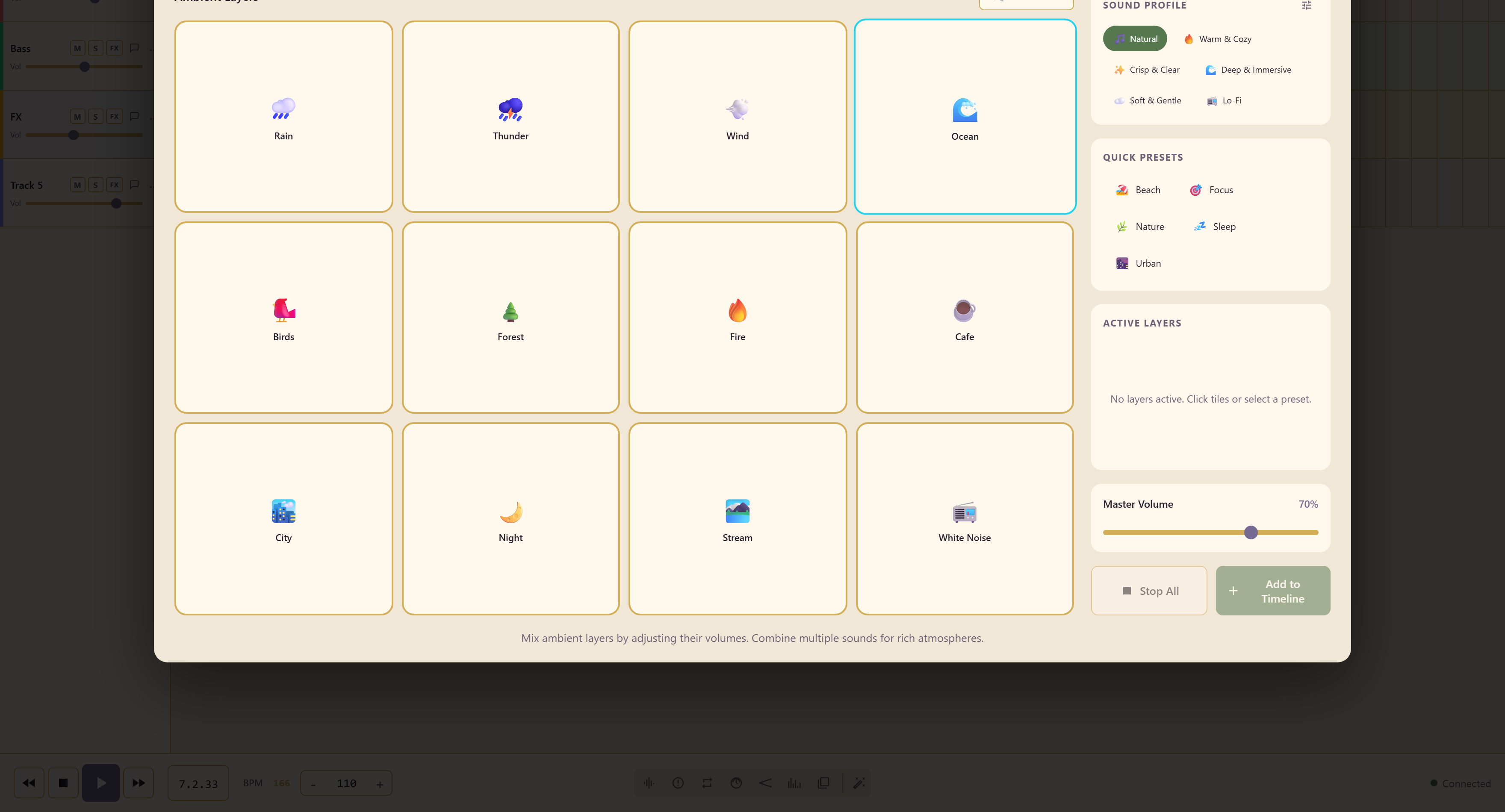
Twelve layers
Section titled “Twelve layers”Rain, Thunder, Wind, Ocean, Birds, Forest, Fire, Cafe, City, Night, Stream, and White Noise.
Click a tile to bring a layer in, then set its level. The active layers are listed as you build, and a master volume sits over the top.
Sound profile
Section titled “Sound profile”Sound profile colours the whole mix at once: Natural, Warm & Cozy, Crisp & Clear, Deep & Immersive, Soft & Gentle, or Lo-Fi.
It is the fastest way to move a soundscape from documentary to cosy without touching the individual layers.
Presets and Randomize
Section titled “Presets and Randomize”Quick presets — Beach, Focus, Nature, Sleep, and Urban — load a working combination to start from, and Randomize produces one you would not have thought of.
Keep the layer count low
Section titled “Keep the layer count low”Two or three layers is usually the right number. Six layers of ambience tends to average out into noise, and the individual sounds stop being recognisable.
Record and edit level changes
Section titled “Record and edit level changes”Click Record controls, adjust layer and master levels, then Stop recording. Performance lets you edit the captured movement points and layer regions. Switching between views keeps the unsaved mix and recording.
Edit recorded performances covers the shared editor and save options.
Related
Section titled “Related”Scene Composer does the same job organised around places, and adds a crossfade. Sound Playground is for sketching rather than background.