Task Boards is Lunar Paper’s project-management module. Use it to break a service goal into tasks the team can see, plan dates and dependencies, track milestones, read delivery reports, and keep decisions beside the tasks they affect.
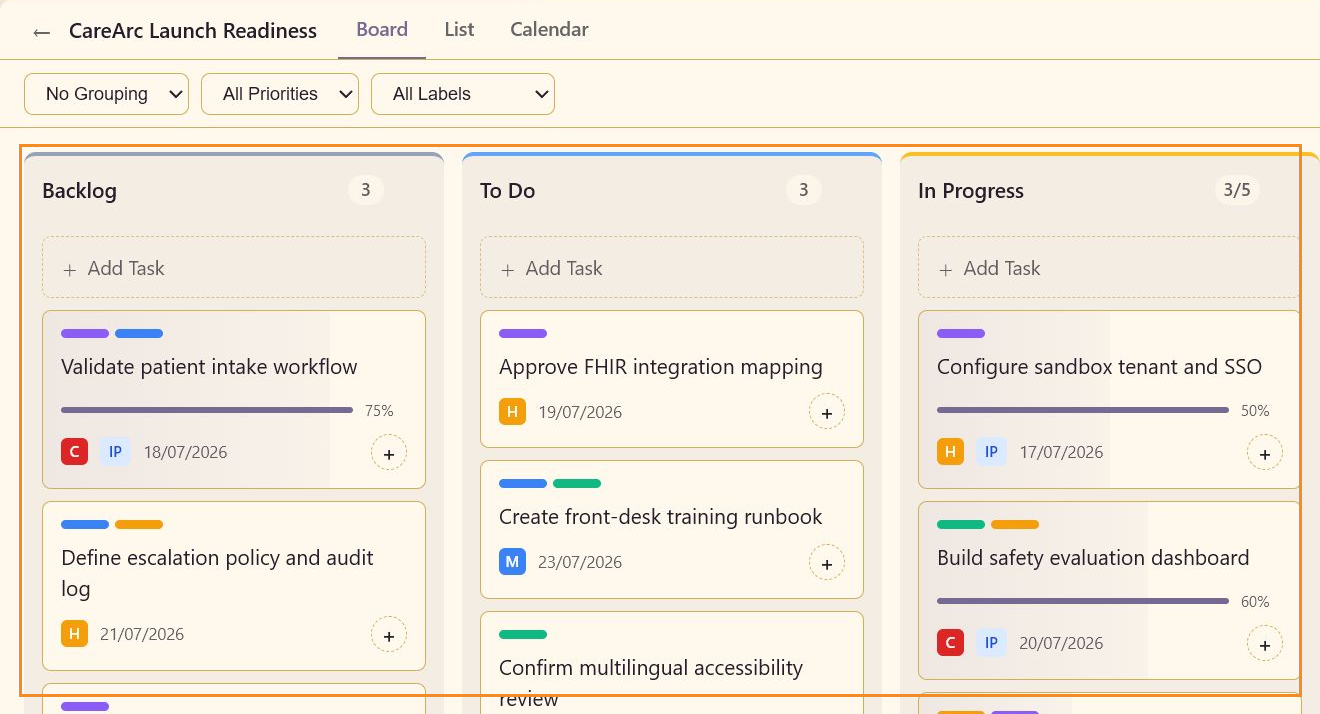
The screenshots in these pages use CareArc Launch Readiness, a service-scoped board for coordinating a 42-clinic AI concierge rollout. Its work spans intake workflow validation, FHIR integration, safety evaluation, accessibility, front-desk training, consent copy, launch communications, and pilot success measures.
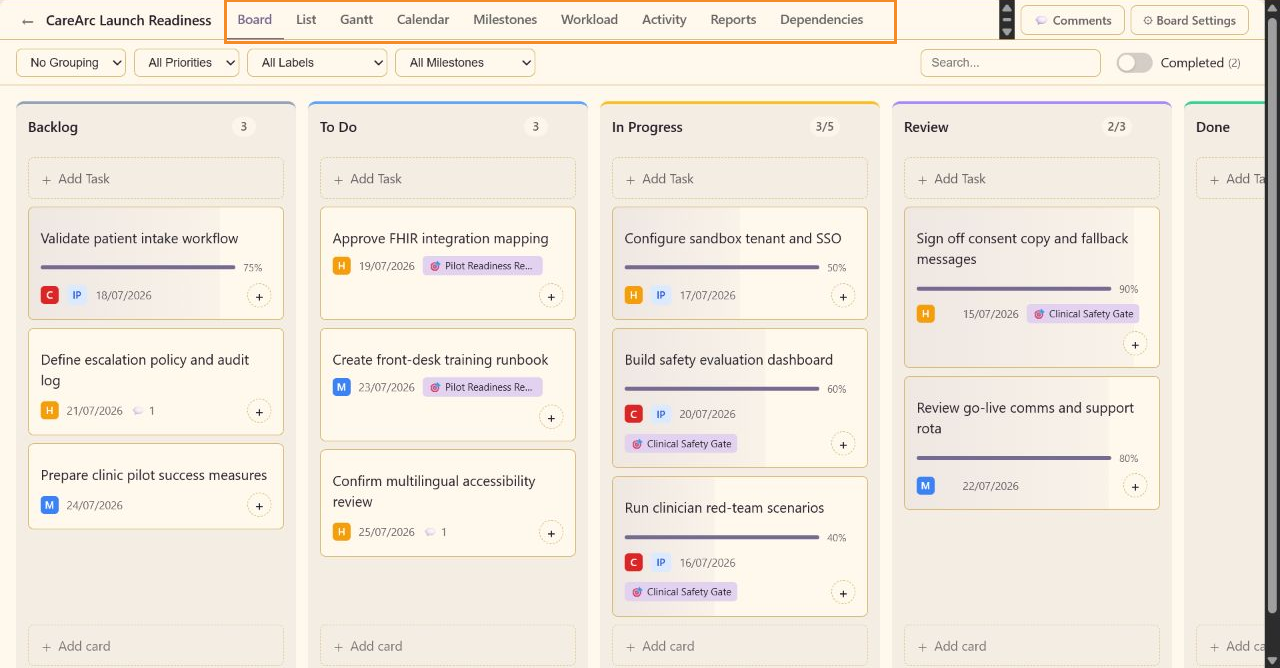
The board is intentionally active rather than empty. It contains work in Backlog, To Do, In Progress, and Review, with different priorities, labels, due dates, and completion percentages. Two completed tasks are retained for the Completed toggle and reporting workflows.
| Feature area |
Included features |
| Board workspace |
Board view, column counts, capacity indicators, task cards, card movement, quick assignment, deletion, Add Task, Add card, Add column, and completed-task visibility. |
| Table and schedule views |
List with bulk selection and inline status/priority, plus Calendar with Day, Week, Month, previous, next, and Today controls. |
| Discovery |
Grouping, priority, label, milestone, search, and Completed filters. Grouping supports priority, assignee, status, and label. |
| AI-assisted labels |
Detect shared board labels, label active tasks in batches, optionally include completed Done history, label one task, and configure first-save automation. |
| Task details |
Subject, status, priority, percent complete, labels, due date, description, assignees, subtasks, blocked state, comments, Activity, Save, Cancel, and Delete. |
| Status and priority |
Status values are Open, In Progress, In Review, On Hold, Blocked, Completed, and Cancelled. Priorities are Critical, High, Medium, and Low. |
| Collaboration |
Task comments, replies, task Activity, aggregate board comments, Board Discussion, and the board comment composer. |
| Advanced mode |
Extended task fields and advanced views: Gantt, Milestones, Workload, Activity, Reports, Dependencies, milestone filtering, start dates, estimates, actual dates, actual hours, and time entries. |
| Advanced planning |
Start and due dates, estimates, actual hours, actual start/completion dates, and milestone assignment. |
| Ownership |
Platform users, resource-pool members, and external contacts through the assignee picker. |
| Delivery time |
Hours, entry date, billable flag, work note, actual-hours rollup, and saved time-entry history. |
| Dependencies |
Predecessors, finish-to-start links, dependency removal, blocked chains, risk summaries, task search, graph zoom, and fit-to-screen. |
| Gantt |
Task rows, dated bars, Today, zoom controls, and day-scale scheduling. |
| Milestones |
Milestone creation, description, target date, Pending/In Progress/Completed/Delayed status, critical flag, task assignment, progress, expand/collapse, edit, and delete. |
| Workload |
This Week, Next Week, All Tasks, team-member search, milestone filter, available capacity, overloaded count, and unassigned work. |
| Activity |
Search, All/Comments/Changes filters, dated events, contributor totals, daily metrics, and activity-type filters. |
| Reports |
Date range, export, throughput, average cycle time, WIP, blocked work, flow efficiency, cycle-time distribution, task aging, and sprint velocity. |
| Board defaults |
Name, description, default priority, default grouping, automatic start date, and automatic due-date offset. |
| Display and permissions |
Card counts, WIP warnings, WIP enforcement, card creation, and column creation. |
| Column configuration |
Names, colors, order, deletion, WIP limits, backlog marker, done marker, and Add Column. |
| Label configuration |
Custom and AI-assisted label names, colors, creation, removal, task categorization, and filtering. |
| Personal work queue |
My Tasks search, Pending/Completed/Canceled/All tabs, selection, Claim, Delegate, and Open. |
The complete feature reference groups these controls into screenshot-backed lookup pages.
Open a service and choose Task Boards Beta from its Project Management area. The board remains connected to that service, so task work stays near the briefs, documents, decks, and other artifacts it supports. You can also open My Tasks from the main navigation for a cross-board task list.
Start with Quickstart to create a populated board. Use Guides for complete workflows and Complete feature list for a screenshot-backed control map. Use Board reference and Task details reference for condensed lookup tables.
| Section |
Use it when |
| Quickstart |
You want a first useful board session. |
| Guides |
You need a multi-step workflow with screenshots and expected outcomes. |
| Concepts |
You want to understand columns, task signals, and service context. |
| Feature reference |
You need a dedicated page and screenshot for a specific feature. |
| Reference |
You need a condensed board or task-field lookup table. |
| Troubleshooting & FAQ |
A task, filter, view, or comment does not behave as expected. |
