
Create a brand
A service can hold several brands. One of them is the default, and that is the one other modules reach for.
Creating one
Section titled “Creating one”Brand under Creative Modules offers Create Brand, or Import brand kit if you already have one as a file.
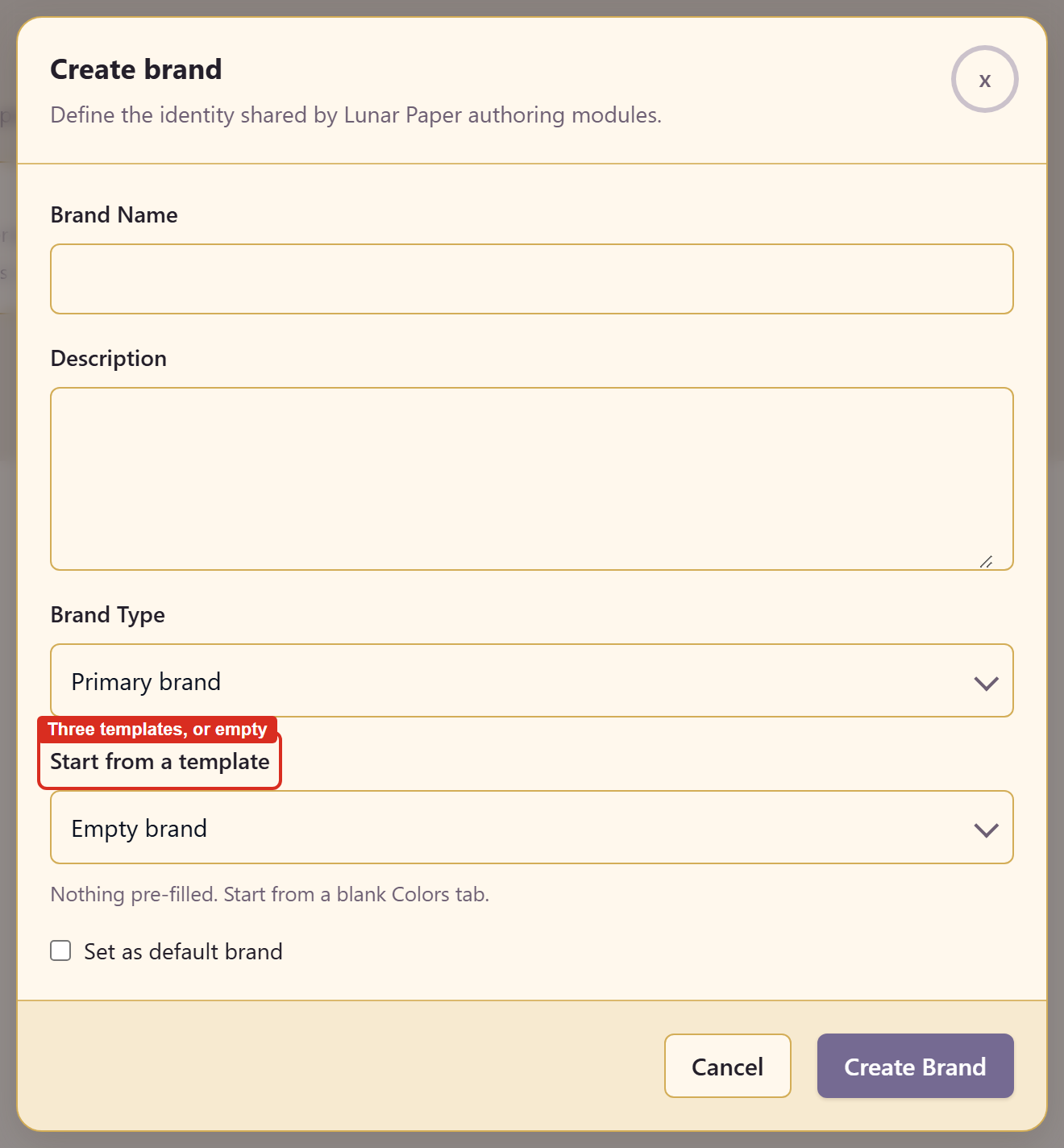
The dialog describes its own purpose: define the identity shared by Lunar Paper authoring modules.
| Field | What it does |
|---|---|
| Brand Name | What the brand is called |
| Description | What it covers |
| Brand Type | Primary brand, or another role |
| Starting point | Start from a template or Empty brand |
| Set as default brand | Makes this the brand other modules use |
Choosing a starting point
Section titled “Choosing a starting point”Empty brand is described plainly: nothing pre-filled, starting on a blank Colors tab.
Start from a template offers three: Product / SaaS, Editorial / marketing, and Monochrome.
Take a template if you are exploring and an empty brand if you already know the colours. A template gives you something to react to, which is faster than a blank page; but if the brand already exists on paper, the template’s values are just things to delete.
The default brand
Section titled “The default brand”Only one brand is the default. Marking a second as default moves the flag rather than setting two.
Use it for the brand most work uses, not the one you edit most. A seasonal campaign brand can be the one you are actively building while the house brand stays default.
After creating
Section titled “After creating”The editor opens on Colors, and the header shows the brand as Draft · Not Published with a save indicator and a count of unsaved changes.
Related
Section titled “Related”Colours and contrast is the natural next step. Export and share covers duplicating a brand and getting it out as a file.