
Mixing and spatial audio
Mixing balances every track so the project sounds clear and deliberate. Spatial audio places individual sounds in the stereo field or in a 3D space.
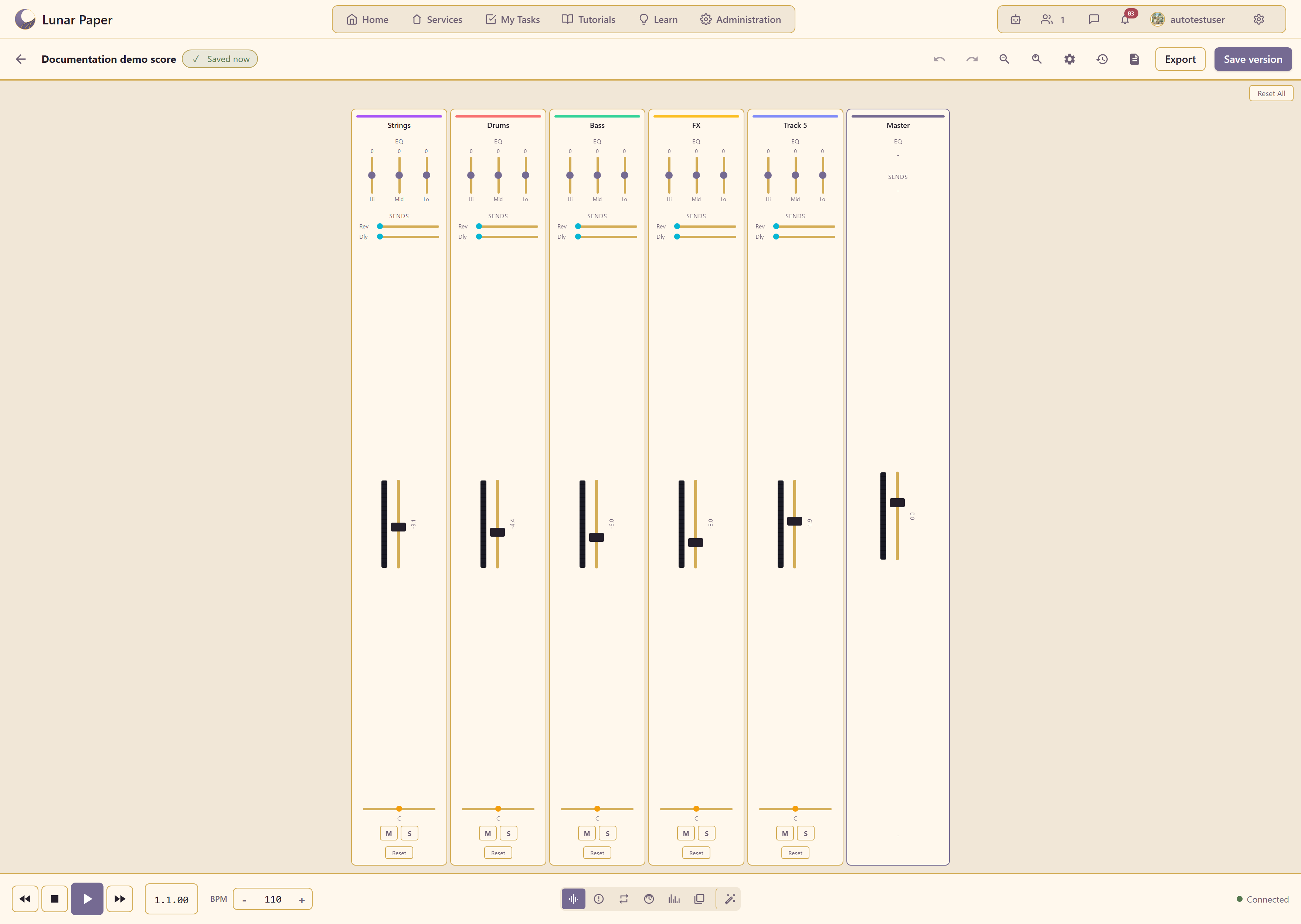
Every track has a volume slider. The Mixer panel shows all track levels at once, making it easier to hear how changes interact. Aim for the loudest peaks to stay below clipping and leave headroom for the master export.
Placement
Section titled “Placement”How far placement goes depends on the project’s mix mode, set in Project Settings: Stereo, Binaural (HRTF, for headphones), 5.1 Surround, or 7.1 Surround.
In stereo, placement is left-to-right only, and every source sits at ear level. Center the low-frequency and lead elements, and spread complementary sounds such as rhythm guitars, synth pads, and percussion slightly left and right for width.
In binaural, 5.1, and 7.1 a source has a full position: an azimuth (the direction), an elevation (above or below ear level), and a distance. Height is audible only in binaural — a stereo project ignores elevation entirely and says so in the panel.
Sources can also move. Motion keyframes record a position at points in time and the sound travels between them as the project plays.
Use 3D spatial audio covers all of it.
Effects
Section titled “Effects”Effects shape the tone and space of a track. Common inserts include:
- EQ adjusts bass, mids, and treble.
- Compression evens out loud and quiet parts.
- Reverb adds a sense of space.
- Delay creates echoes or rhythmic repeats.
Load an effect on a track from the FX button or in the Mixer. The order of effects matters: EQ before reverb sounds different from reverb before EQ.
Spatial depth
Section titled “Spatial depth”The Spatial panel lets you move a sound forward and back as well as left and right. Use depth to push background pads behind lead sounds or to bring a solo instrument to the front.
Faders, placement, and presets
Section titled “Faders, placement, and presets”Put this into practice in Use the Mixer, which walks through faders, pan, mute, and solo. Use spatial audio covers placement in the sound field, and Browse and apply presets shows where the ready-made instrument and effect sounds come from.