
Create and configure a calendar
Almost every calendar setting is easy to change later. The time zone is the one to think about before you fill the calendar up, because it decides which calendar day an all-day event belongs to. Change it afterwards and a holiday can move.
Create the calendar
Section titled “Create the calendar”Choose New calendar in the header, or Create a calendar if the service has none yet.
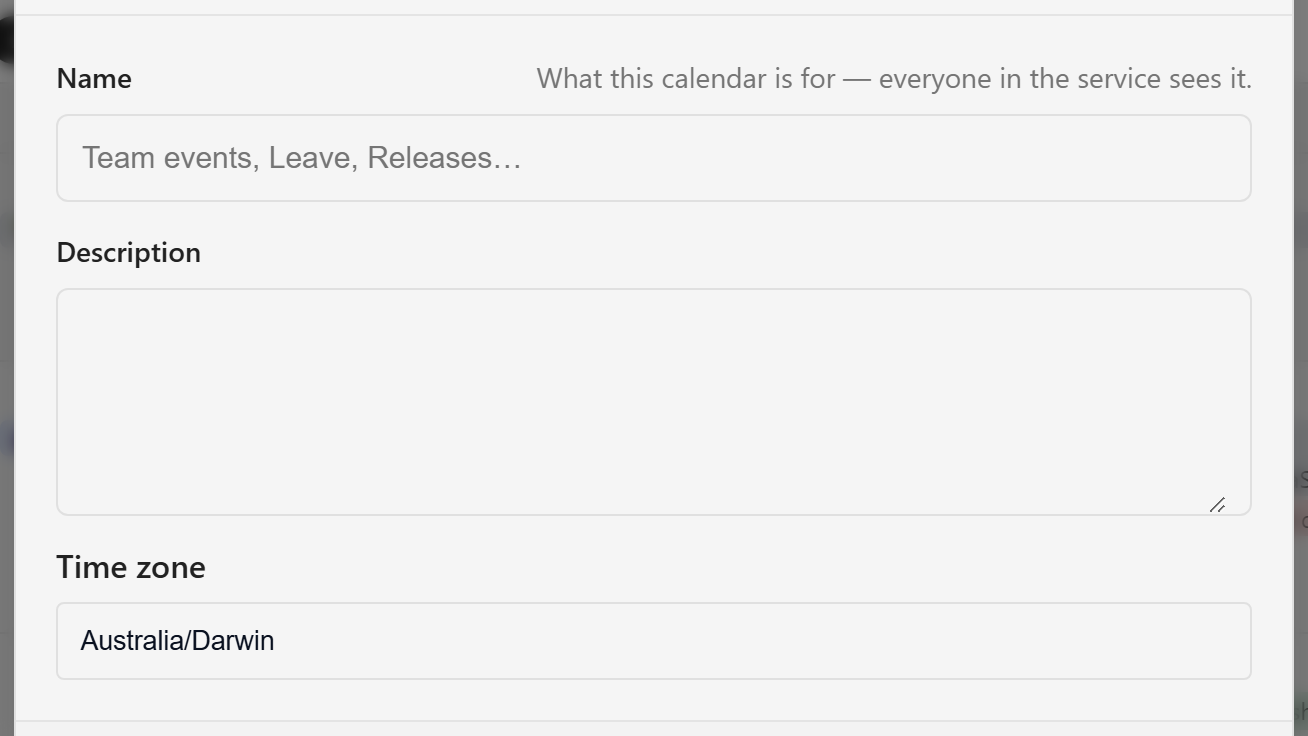
Name is required and must be unique within the service, so a second calendar called Platform Team is refused. Name it after what it holds rather than who owns it: Team events, Leave, Releases. A service can have as many calendars as it needs, and the names are how people tell them apart.
Time zone defaults to your own. Set it to the zone the team works in.
Only an owner or editor can create a calendar. When a service has two or more calendars, the header name becomes a picker for switching between them.
Set the week shape
Section titled “Set the week shape”Open the gear menu (Calendar configuration) and choose Calendar settings.
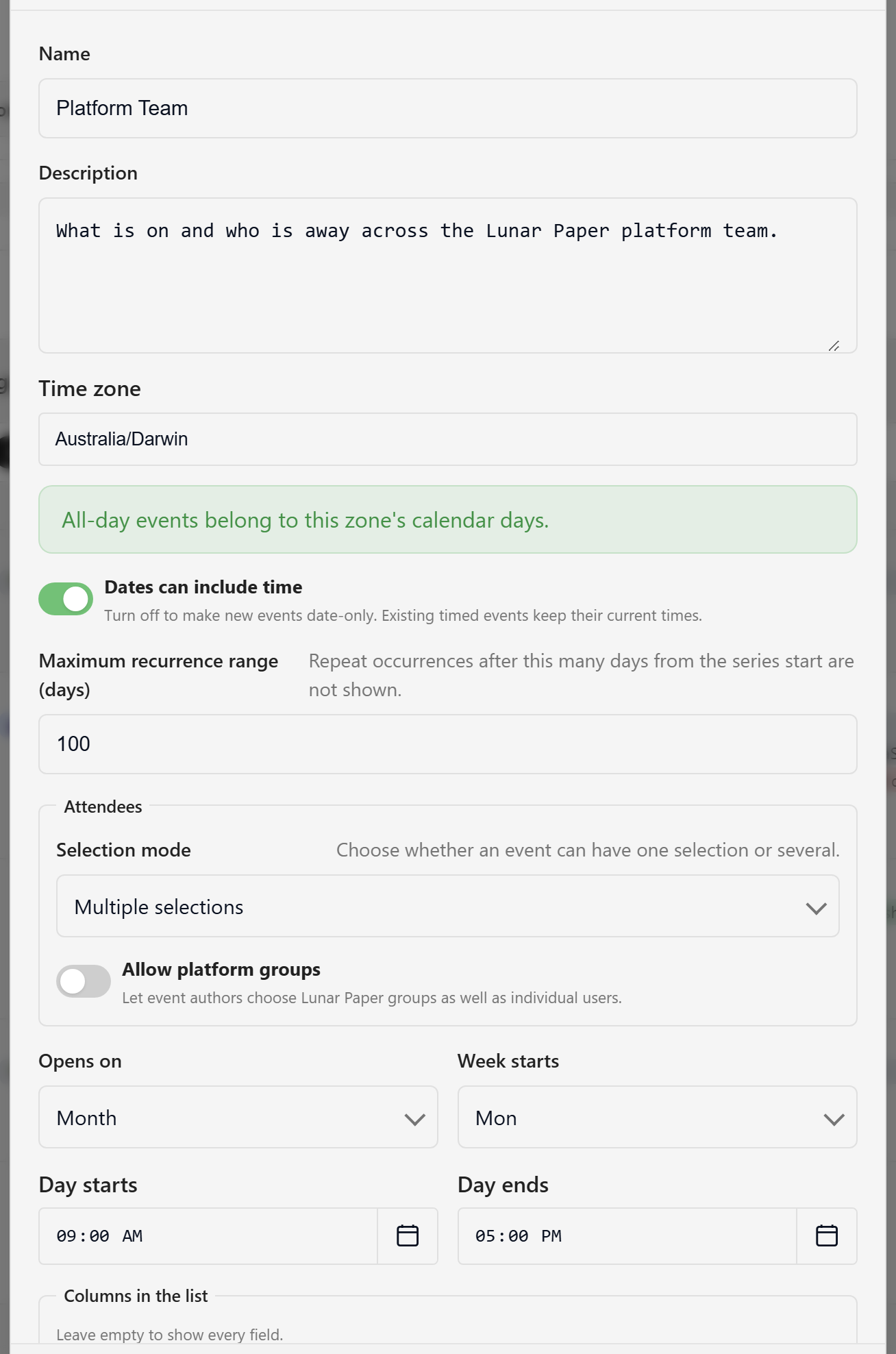
Four settings decide what the grid looks like before any event is added:
- Opens on: the view people land on. Month suits a planning calendar, and Away suits a leave calendar.
- Week starts: Sunday, Monday, or Saturday.
- Day starts and Day ends: the working hours the Week view centres on. It shows an hour either side, so
09:00–17:00renders 08:00 to 18:00. - Show weekends: turn this off for a calendar nobody works on at the weekend, and the grid drops to five columns.
Decide whether events carry a time
Section titled “Decide whether events carry a time”Dates can include time is on by default. Turning it off makes new events date-only, which suits a calendar that only ever holds leave, holidays, and release dates. Existing timed events keep their times, and the event form says so when you open one.
Set the repeat horizon
Section titled “Set the repeat horizon”Maximum recurrence range (days) caps how far ahead a repeating event is drawn from the start of its series. The default is 100 days, and it accepts 1 to 365.
This limits the drawing, not the rule: a weekly meeting with no end date still exists, but occurrences past the limit are not drawn. Raise it for a calendar people plan a year ahead on, and leave it low on a busy calendar to keep reads quick.
Choose how attendees are picked
Section titled “Choose how attendees are picked”The Attendees fieldset controls the picker on the event form. Selection mode decides whether an event takes one selection or several, and Allow platform groups lets authors choose Lunar Paper groups as well as individual people.
Save the dialog. Settings apply to everyone looking at the calendar, so a change to the week start or working hours changes the grid for the whole team.
Every setting and its default is listed in the calendar settings reference. To change what an event looks like once it is on the grid, see Customise types and display.