
Keep a service tidy
A service that has been running for a year has usually accumulated modules nobody uses, a URL nobody can read, and content nobody owns. None of that is urgent, which is why it never gets done.
Switch off the modules you do not use
Section titled “Switch off the modules you do not use”Service Settings, then Modules.
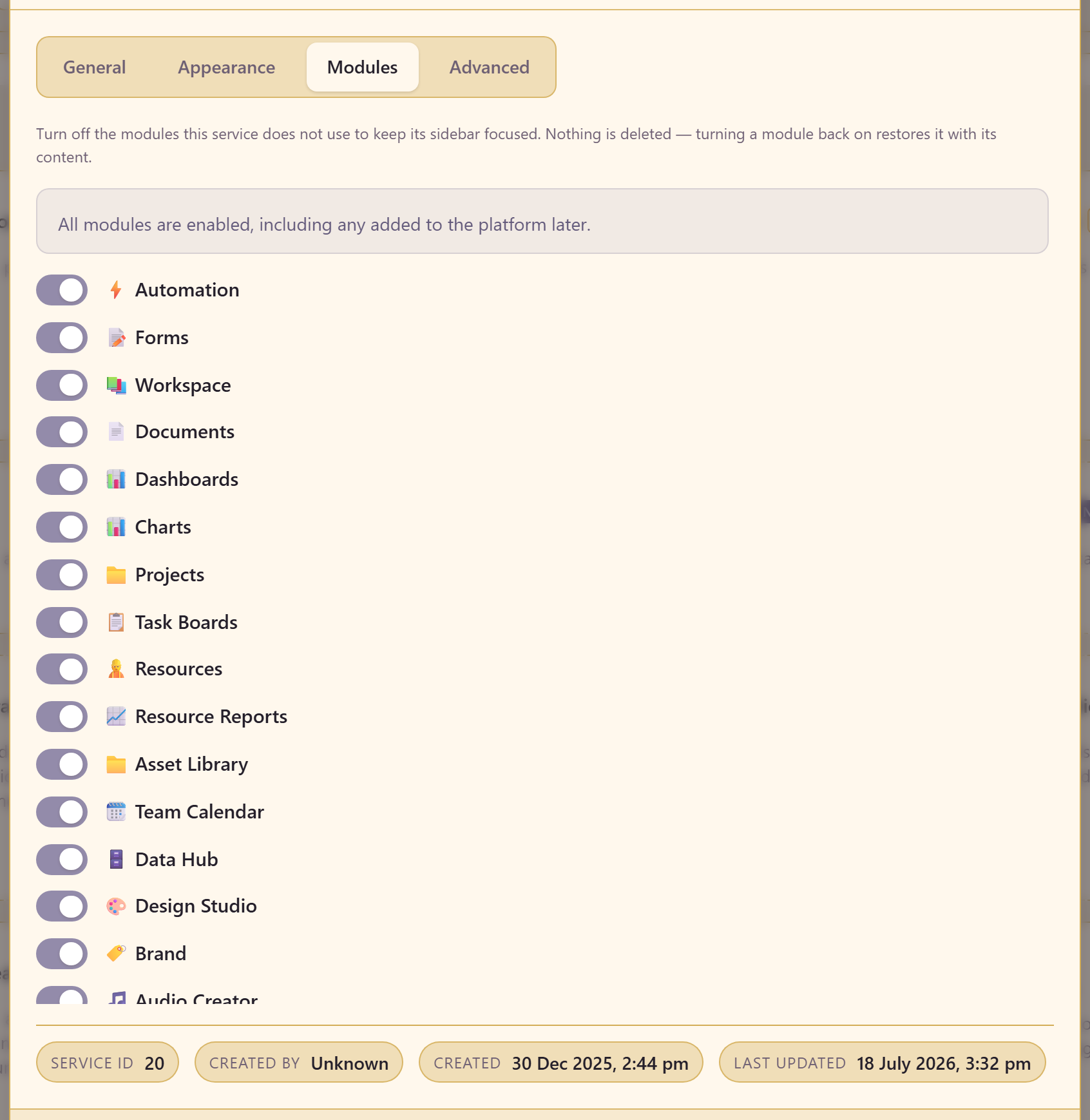
Everything is on by default, and modules added to the platform later turn on automatically. So the list grows whether or not the team’s needs do.
Turning one off hides it. Nothing is deleted, and turning it back on restores it with its content, so this is genuinely safe.
The reason to bother is that a sidebar of twenty modules for a team using four is a sidebar people stop reading. Cutting it to what is used makes the remainder visible.
Give it a readable address
Section titled “Give it a readable address”Service Settings, then Advanced.
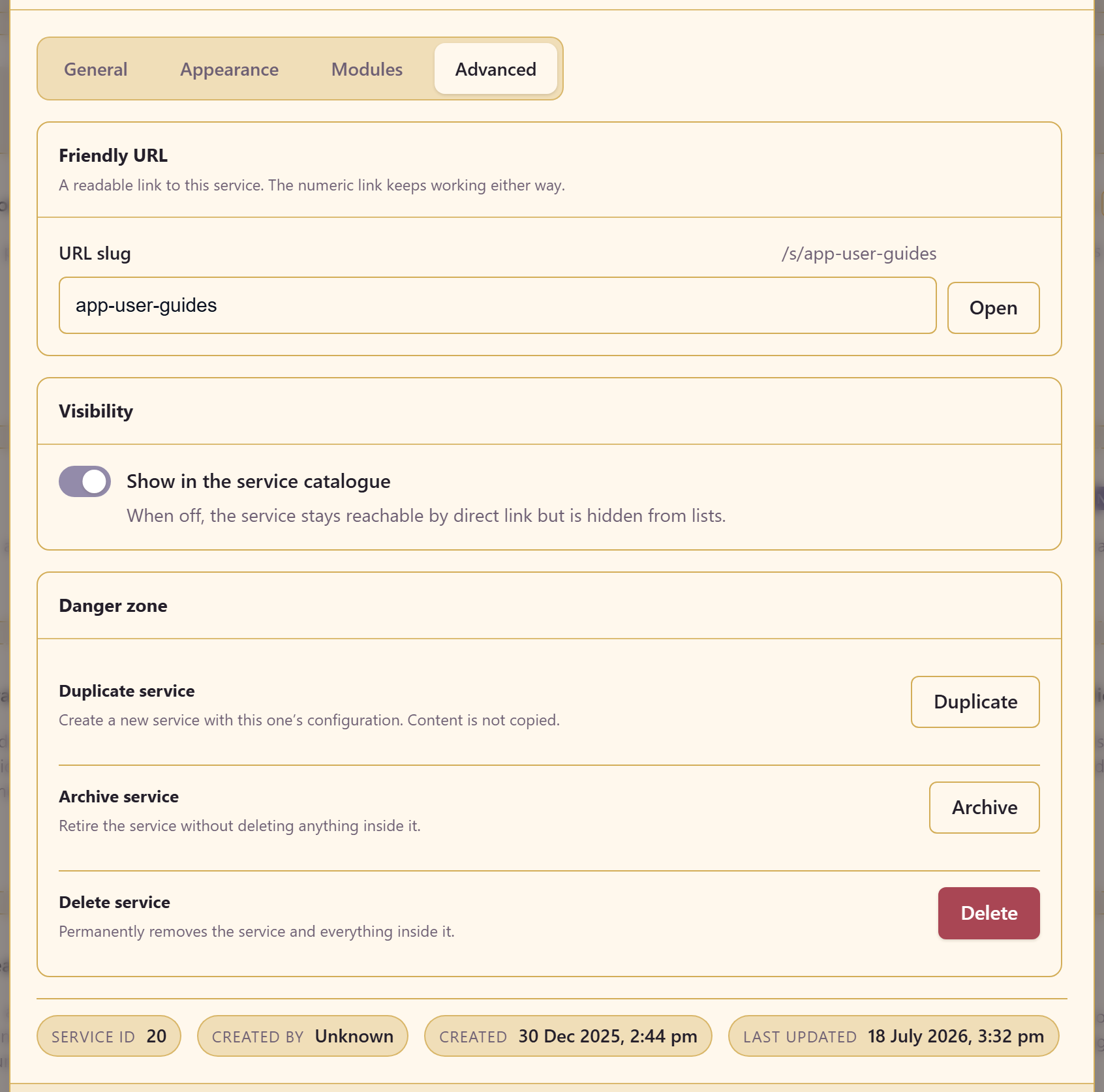
Set a URL slug so the service has an address like /s/app-user-guides. The numeric link keeps working, so nothing breaks.
This matters more than it sounds. Links get pasted into chat, tickets, and documents, and a readable one tells the reader where they are being sent.
Decide whether it should be listed
Section titled “Decide whether it should be listed”Show in the service catalogue controls whether the service appears in lists. Switch it off and the service stays reachable by direct link but stops appearing when people browse.
Useful for a service that is half-built, an archive kept for reference, or something that is not for general consumption. It is not a security control — anyone with the link and access can still open it.
Duplicating
Section titled “Duplicating”Duplicate service creates a new service with this one’s configuration. Content is not copied.
Read that twice, because it is the opposite of what people expect. You get the settings, the module choices, and the shape — not the charts, dashboards, or data. It is a template mechanism, not a backup.
That makes it genuinely useful for standing up the fifth client service with the same setup as the first four, and useless as a way to snapshot work.
Archiving
Section titled “Archiving”Archive service retires a service that is no longer in use.
Archive rather than leaving a dead service listed. A catalogue full of services nobody maintains makes it harder to find the ones that matter, and an abandoned service with published items is a security question waiting to be asked.
Before archiving, go through the service’s modules and unpublish anything that should not outlive the service. Control what gets published covers who can reach an item.
A periodic review worth doing
Section titled “A periodic review worth doing”Twice a year, in about twenty minutes:
Open Content Access and confirm the publishing limits still suit the service. Open Team and remove individual members whose reason has expired. Open the Artifact Map and look at how many assets are unreferenced. Turn off modules that never got used.
None of it is difficult. It is only ever skipped because nothing forces it.
Related
Section titled “Related”Settings reference lists every setting on all four tabs. Manage people and access covers the membership half of the review.