
Control what gets published
Publishing in Lunar Paper is two decisions in two places. The service sets a limit; each item chooses within it. Knowing which is which saves a lot of confusion.
Set the limit
Section titled “Set the limit”Choose Content Access.
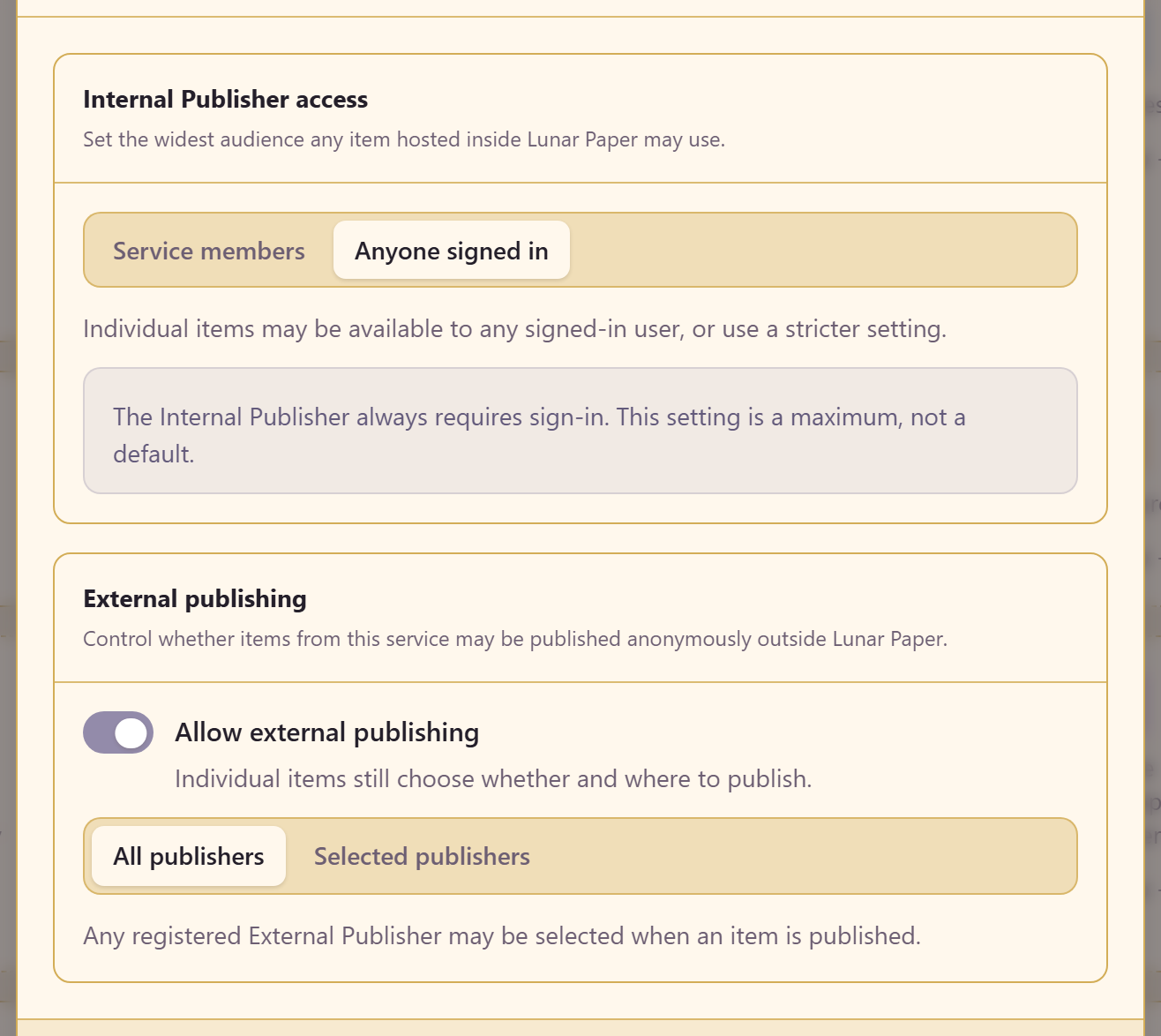
Internal Publisher access sets the widest audience anything hosted inside Lunar Paper may reach: service members, or anyone signed in.
The screen says the important part plainly: this setting is a maximum, not a default. It does not publish anything. It bounds what an item is allowed to choose, and that includes items published before you changed it.
The Internal Publisher always requires sign-in, whichever option you pick. “Anyone signed in” means any authenticated user of your platform, not the public.
Decide about the outside world
Section titled “Decide about the outside world”External publishing is a separate switch, and a different kind of decision. It controls whether anything from this service may be published anonymously outside Lunar Paper at all.
If the answer is no, switch it off. That is one decision made once by the person accountable for the service, rather than a judgement call by whoever happens to be publishing something at five o’clock on a Friday.
If it is on, you can allow any registered external publisher, or restrict it to selected ones.
Check who can reach an item
Section titled “Check who can reach an item”Setting a ceiling tells you what is permitted. It does not tell you what each item allows, and there is no single list of everything a service has published. Check an item in the module that publishes it, where its sharing settings show who can open it.
Three things decide who can reach a published item.
Its access level. Private is service members and allowed teams, Restricted is specific people or teams you name, and Internal is any authenticated user. An item set wider than the ceiling is treated as if it were set to the ceiling, including items published before the ceiling changed.
Its share links. Anyone with an active link can open the item, regardless of its access level. Revoke links nobody needs any more.
External publishers. A copy on an external publisher is reached anonymously outside Lunar Paper, so the Internal Publisher setting does not apply to it. Narrowing External publishing unpublishes existing content from publishers the service no longer allows, and asks you to confirm first.
Related
Section titled “Related”What a service is explains the ceiling model. Each module’s publish flow is documented on its own pages — for example Charts and Dashboards.