
Slides and sections
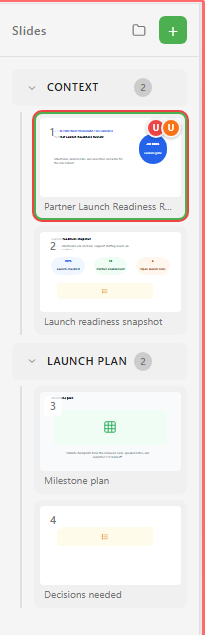
Slides are the ordered units of a deck. Sections group them by topic so a longer presentation stays easy to read while you edit and review it.
Slides
Section titled “Slides”Each slide can have a title, layout, background, transition, speaker notes, elements, narration tracks, and comments. Select a slide in the left panel to edit it on the canvas.
Sections
Section titled “Sections”Sections appear in the left slide panel. Use them for agenda blocks, review phases, or delivery modes. You can collapse sections while editing, add a slide directly into a section, and move slides between sections.
Slide properties
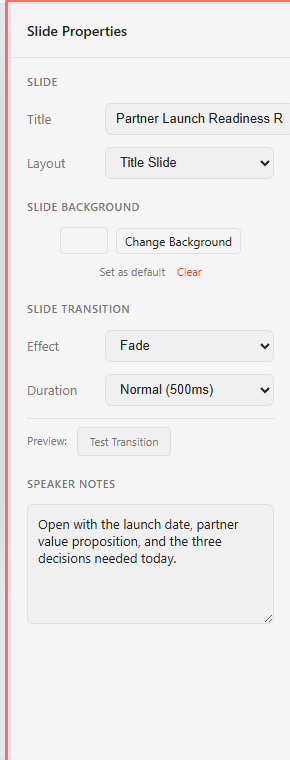
Section titled “Slide properties”Click empty canvas space to show slide properties. Use this panel for:
- Slide title.
- Layout.
- Background.
- Transition effect and duration.
- Speaker notes.
- Transition preview.
Review indicators
Section titled “Review indicators”Slides can show comment badges in the navigator. Use the badges to find review threads without opening every slide in turn.