
Create a design
Create Design starts a blank canvas at a chosen size.
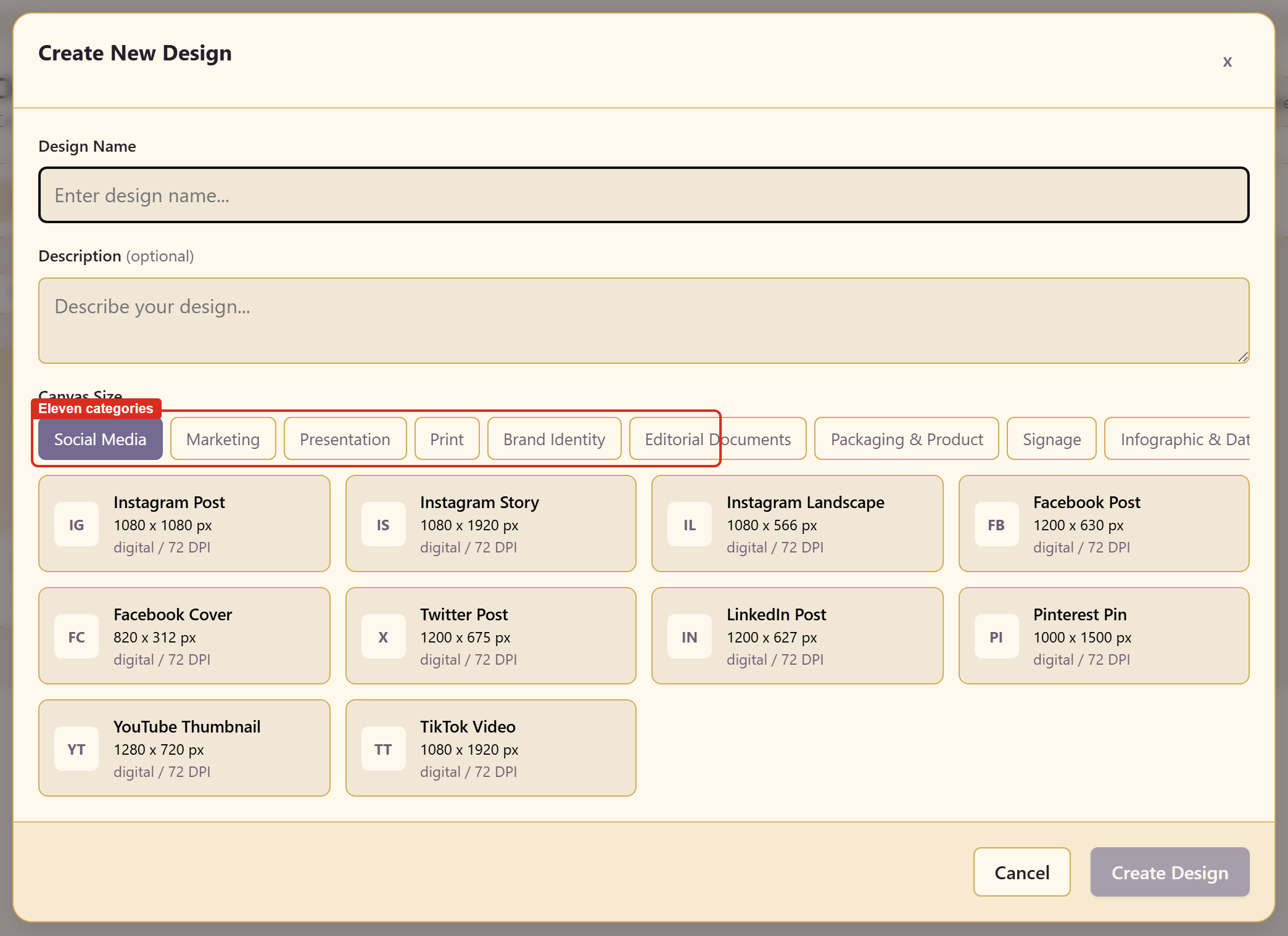
Give it a name and a description, then pick a category and a preset.
Eleven categories
Section titled “Eleven categories”Social Media, Marketing, Presentation, Print, Brand Identity, Editorial Documents, Packaging & Product, Signage, Infographic & Data, Web & Banners, and Custom.
Each lists presets with real dimensions rather than vague names. Social Media alone covers Instagram Post at 1080 × 1080, Instagram Story at 1080 × 1920, Instagram Landscape, Facebook Post at 1200 × 630, Facebook Cover at 820 × 312, Twitter Post at 1200 × 675, LinkedIn Post at 1200 × 627, Pinterest Pin at 1000 × 1500, YouTube Thumbnail at 1280 × 720, and TikTok Video at 1080 × 1920.
Pick the output before you design
Section titled “Pick the output before you design”The preset is not a detail to settle later. A layout composed for 1080 × 1920 has a completely different centre of gravity from one composed for 1200 × 630, and moving between them is a redraw rather than a resize.
If a design genuinely needs to exist at several sizes, make the most constrained one first — usually the tallest or the smallest — and use Resize from there.
Custom takes dimensions directly when nothing fits.
Related
Section titled “Related”Generate with AI starts from a brief instead. Use a template starts from a finished document.