
Publishing and sharing reference
Publishing, versions, and sharing are separate workflows that feed into each other.
Publish
Section titled “Publish”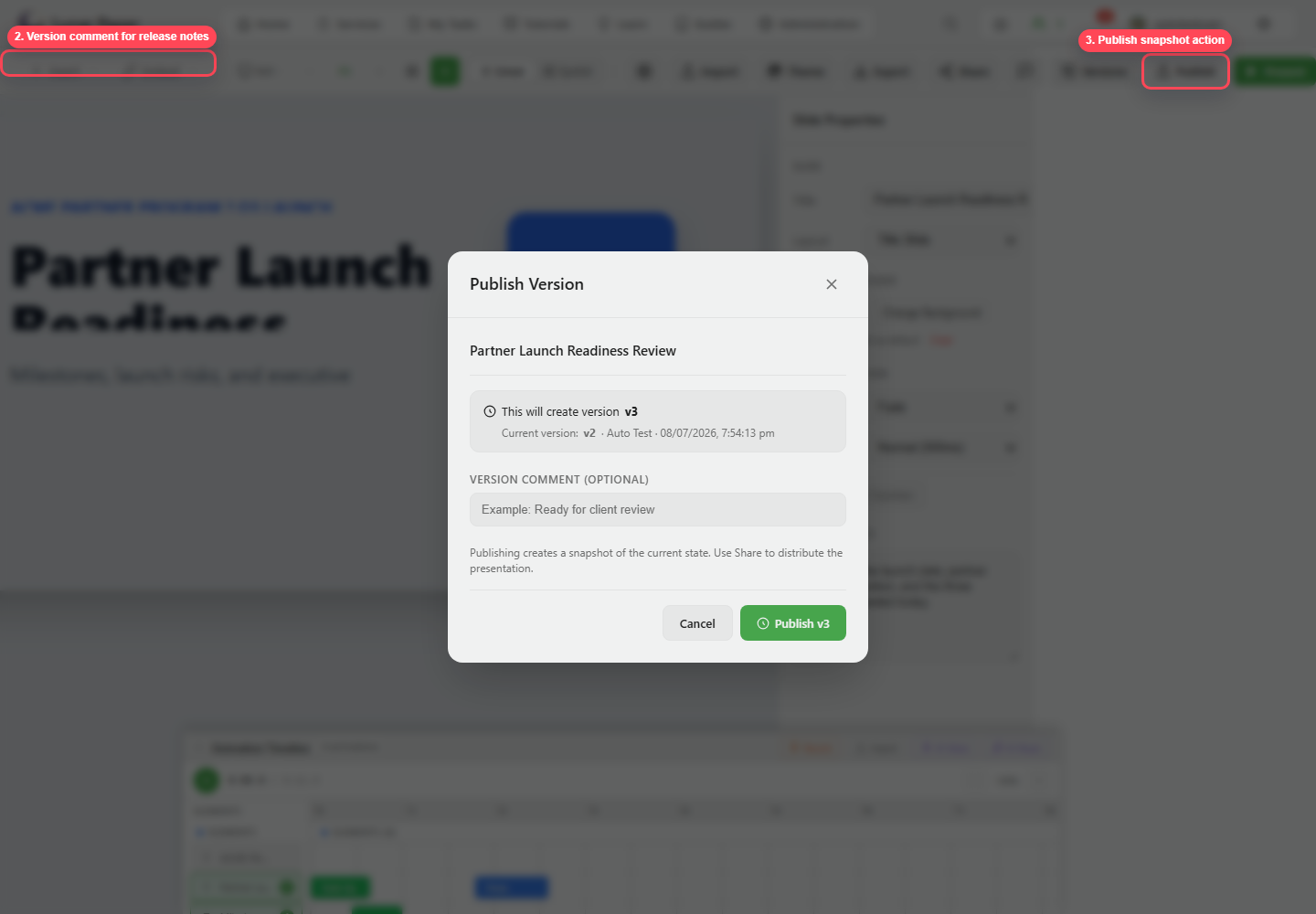
| Control | Purpose |
|---|---|
| Next version | Shows the version number that will be created. |
| Version comment | Describes what changed. |
| Publish | Saves the current deck state as a version snapshot. |
Versions
Section titled “Versions”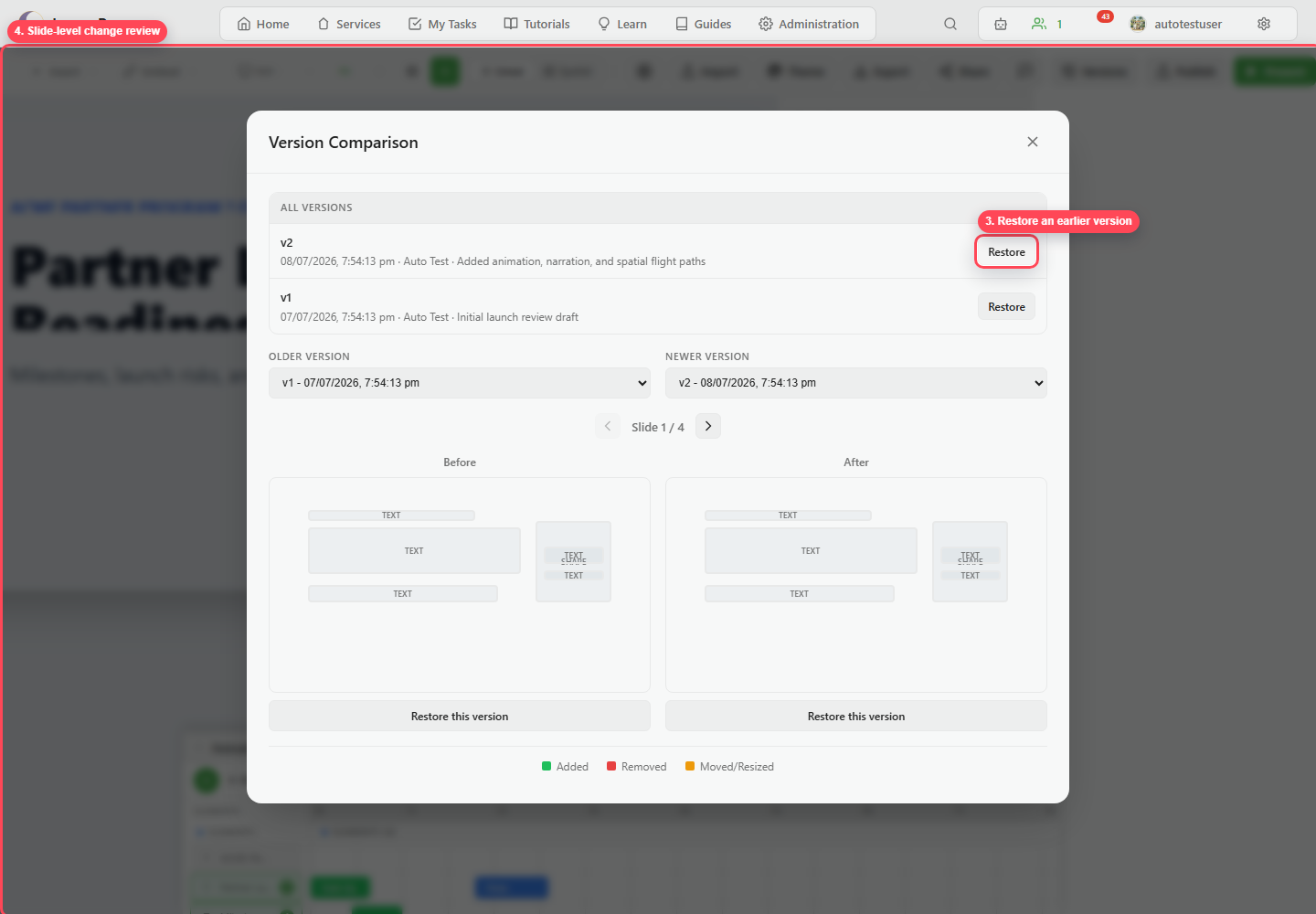
| Control | Purpose |
|---|---|
| Version list | Shows published snapshots. |
| Older / newer selectors | Choose snapshots to compare. |
| Slide navigation | Move through compared slides. |
| Before / after preview | Review slide-level changes. |
| Change legend | Identifies added, removed, moved, or resized content. |
| Restore | Restores a selected earlier version. |
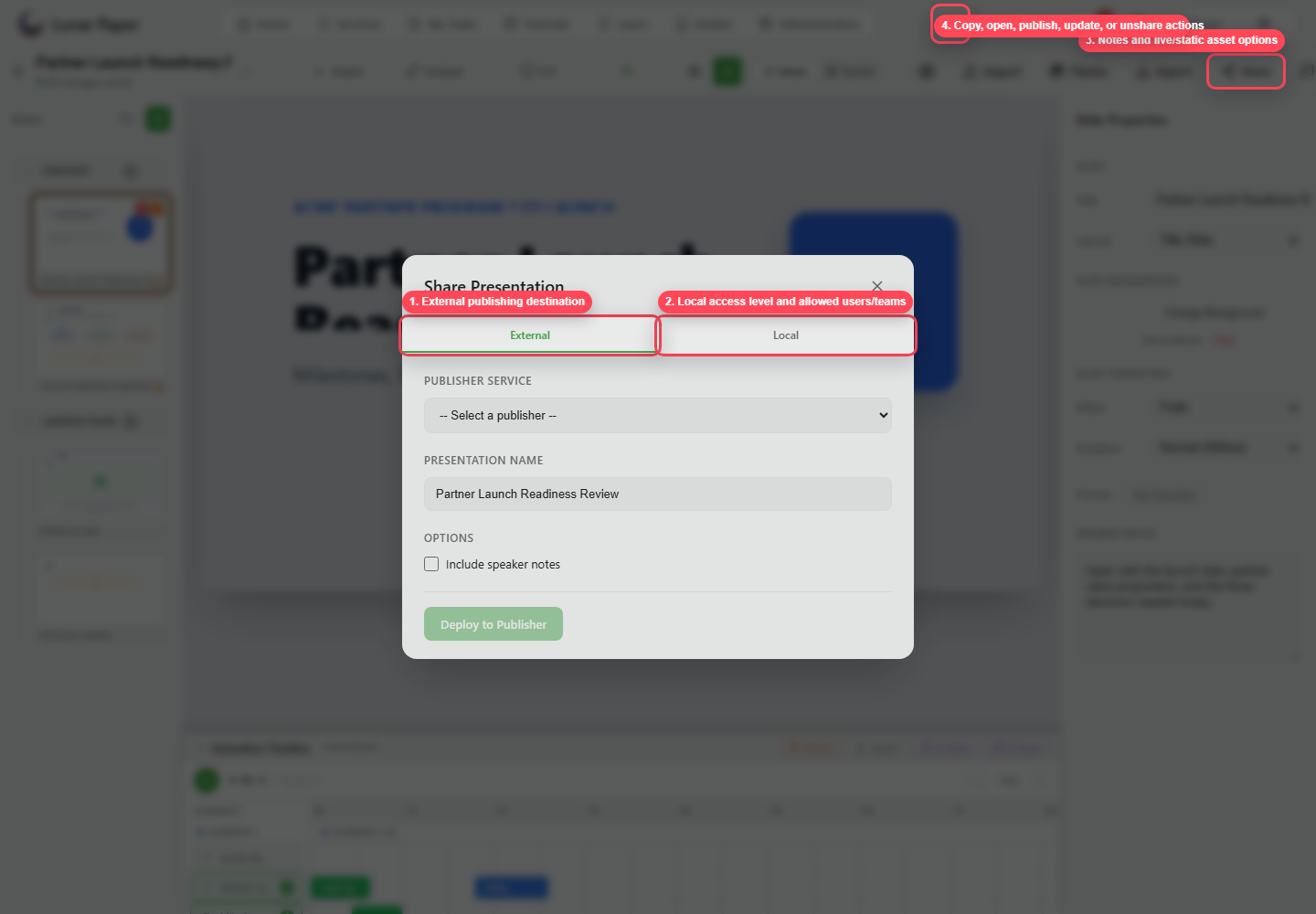
| Area | Purpose |
|---|---|
| External | Deploy or republish to a publisher destination. |
| Local | Publish inside Lunar Paper with access controls. |
| Access level | Choose internal or private access. |
| Allowed teams/users | Restrict private access. |
| Include speaker notes | Decide whether notes are shared. |
| Connected assets | Choose static or live asset behavior when available. |
| Copy/open link | Share or verify the destination. |
| Unshare/unpublish | Remove access when a deck should no longer be available. |