
Resource fields reference
Resource
Section titled “Resource”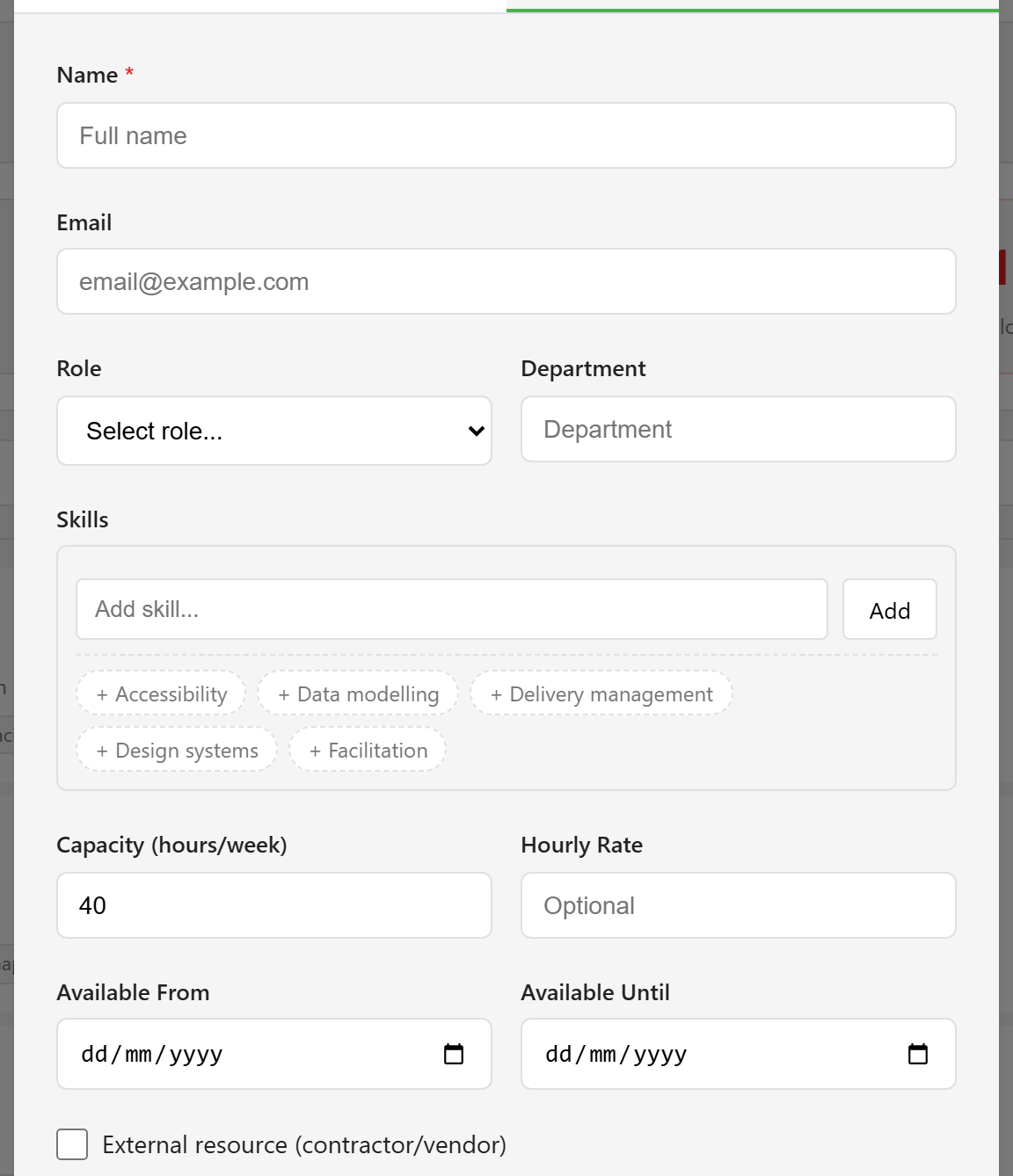
| Field | Values | Default |
|---|---|---|
| Name | Required | — |
| An email address | — | |
| Role | Manager, Developer, Designer, Analyst, Tester, Architect, Team Lead, Consultant, Other | — |
| Department | Free text | — |
| Skills | A list, added one at a time | Empty |
| Capacity (hours/week) | 1 to 80 | 40 |
| Hourly Rate | A number | — |
| Available From | A date | — |
| Available Until | A date | — |
| External resource | Checkbox for contractors and vendors | Off |
Creating a resource from a platform user offers only Role and Department. Capacity always takes the 40-hour default on that route.
Allocation
Section titled “Allocation”| Field | Values | Default |
|---|---|---|
| Role on Project | “Same as resource role”, or one of the project’s team roles | Same as resource role |
| Allocation % | 10 to 100, in steps of 10 | 100 |
| Start Date | A date | Today |
| End Date | A date | — |
An allocation is created from a project’s Resources section. There is no way to create one from the resource pool.
Resource pool screen
Section titled “Resource pool screen”| Control | Notes |
|---|---|
| Total Resources | Everyone in the pool |
| Available (<100%) | Utilisation below 100% |
| Over-allocated | Utilisation above 100% |
| External | Flagged as contractor or vendor |
| Search | Matches name, email, role, department, and skills |
| All Roles | Roles actually present in the pool |
| Active / Inactive / All | Defaults to Active |
| Sort by | Name, Utilization, or Role |
The four tiles and the count beside the heading describe the entire pool and ignore the search and role filters, so they do not change as you narrow the list below.
Utilisation colours
Section titled “Utilisation colours”| Utilisation | Colour |
|---|---|
| Below 50% | Grey |
| 50–79% | Green |
| 80–100% | Amber |
| Above 100% | Red |
Utilisation is the sum of active allocation percentages. It is not derived from capacity, hours, or task load — see Allocation and utilisation.
Permissions
Section titled “Permissions”| Action | Who |
|---|---|
| View the pool, allocations, and utilisation | Viewer |
| Create and edit resources; create, change, and remove allocations | Editor |
| Deactivate a resource | Administrator |
Deactivating ends all of that person’s active allocations, and the confirmation says so.
Not available
Section titled “Not available”The resource request workflow — raising a request for people and having it approved or rejected — exists in the backend but has no interface. There is no way to submit or approve a resource request.
To add people, see Build the resource pool.