
Publish and version
A dashboard is a draft until you publish it. Publishing takes a snapshot and makes the dashboard openable by readers. It does not give them the designer.
Check it first
Section titled “Check it first”Preview in the toolbar shows the dashboard without the editing panels. It is worth a look before publishing, because a widget that looks fine next to a properties panel can look different once that panel is gone.
Publish
Section titled “Publish”Choose Publish.
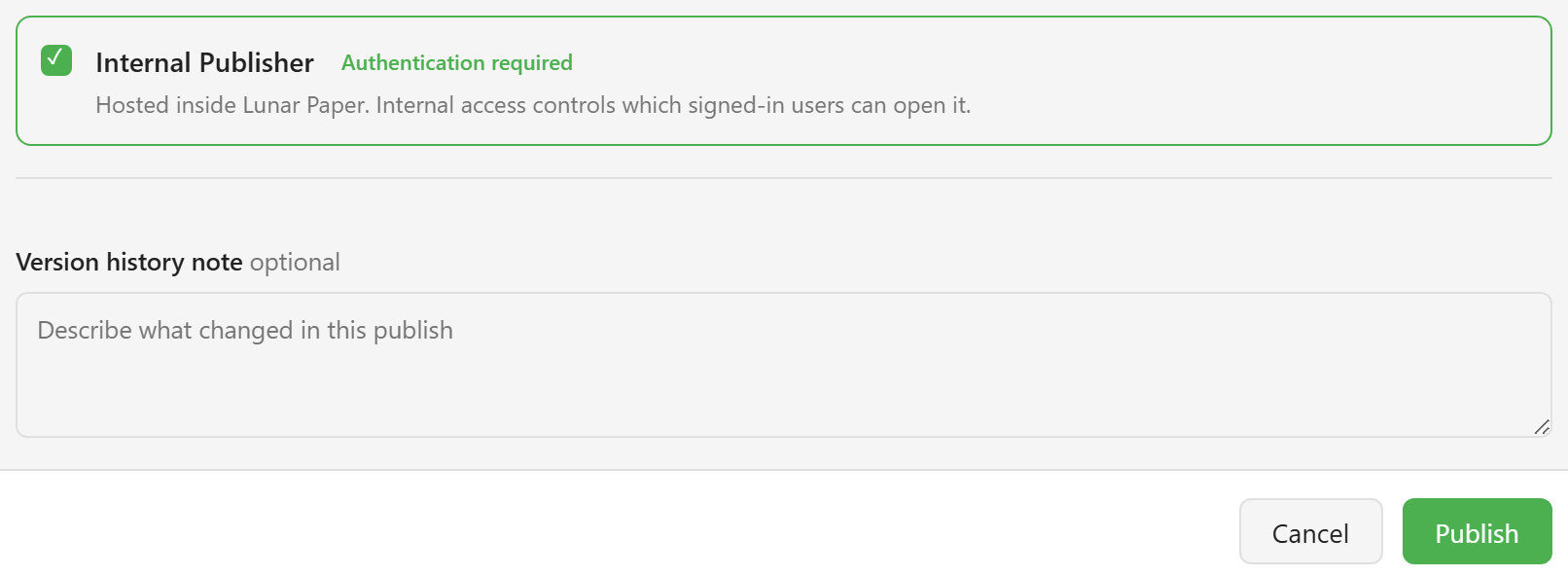
The dialog offers publishing locations. Internal hosts the dashboard inside Lunar Paper and requires viewers to be signed in; the internal access rules then decide which signed-in users can open it.
The version history note is optional and worth filling in. It is the only label the version gets, and “added the ratings card” reads better in six months than a bare timestamp.
Choose Publish to confirm. A View button appears in the toolbar beside Publish.
What readers see
Section titled “What readers see”View opens the published dashboard as a reader sees it.
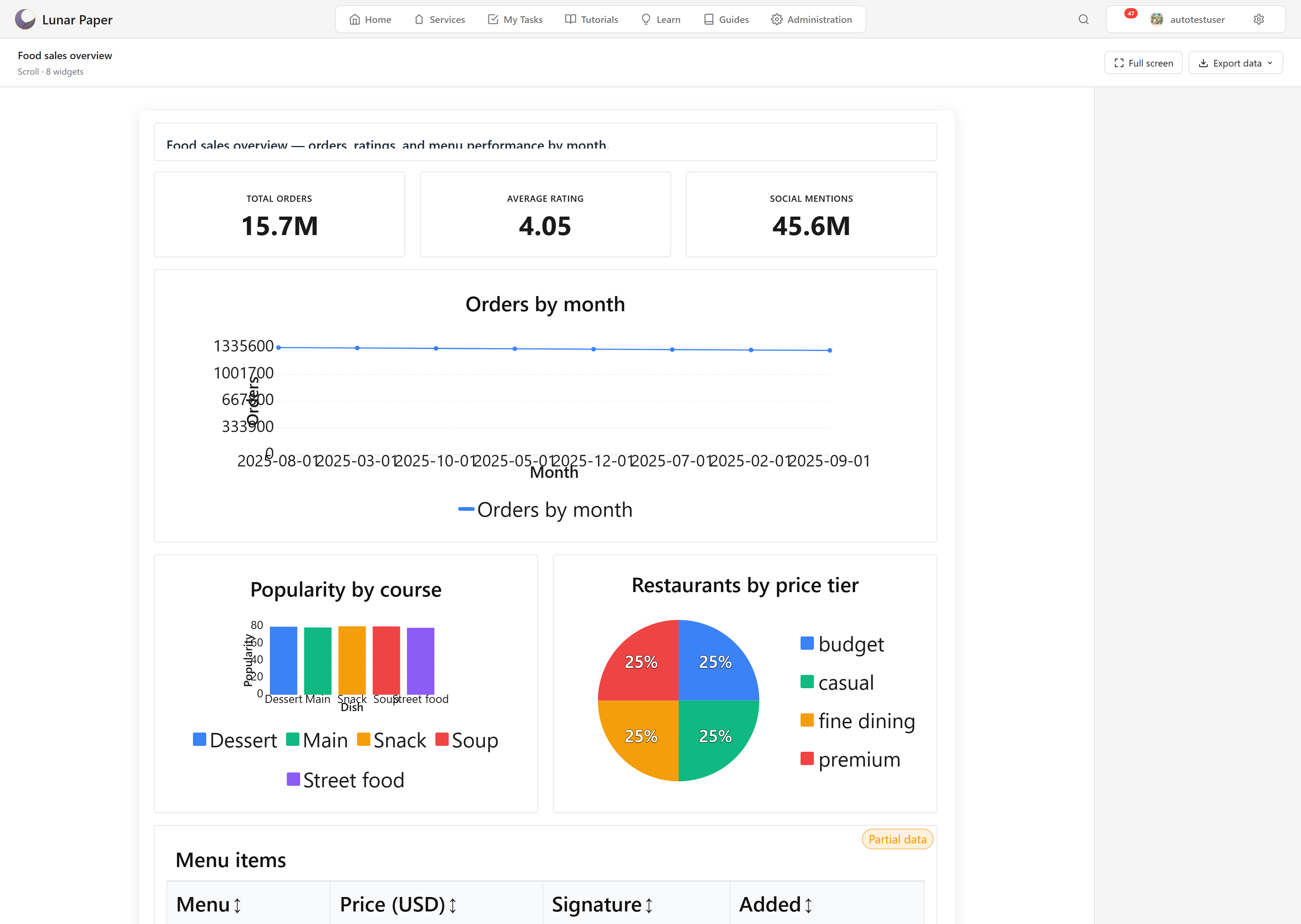
There is no widget library, no properties panel, and no grid. The header carries the dashboard name, its layout mode and widget count, and two controls: Full screen, and Export data, which downloads the underlying rows.
If a filter panel is configured and switched on, it appears here too.
Editing after publishing
Section titled “Editing after publishing”Editing a published dashboard does not change what readers see. The published snapshot stays as it was until you publish again.
The list makes this visible: the card marks the dashboard Unpublished changes while the draft and the snapshot differ. The gap is deliberate. It lets you rework a live dashboard without readers seeing it change while you work.
Publish again when the rework is done. Each publish adds a version, and Version History in the toolbar lists them.
Delivering it instead
Section titled “Delivering it instead”Publishing makes a dashboard openable. If people should receive it rather than having to go and look at it, schedule a delivery. A schedule can only be created from a dashboard that has been published, so publishing is the step before that one.
What publishing does not do
Section titled “What publishing does not do”It does not freeze the data. The snapshot fixes the layout and the bindings, not the numbers — opening a published dashboard re-runs its queries against Data Hub. That is usually what people want, but it is worth being clear about, because it means an old published version can show today’s data in a layout nobody has looked at in months.
Schedule a delivery sets up recurring email. Permissions covers who can publish and who can only read.